🎹 Change Language & Keyboard Layout
Neverinstall empowers users with the ability to work in their preferred language and type in multiple languages effortlessly. With our intuitive language and keyboard layout customization options, you can explore new possibilities and seamlessly switch between languages to code, type, and browse with ease.
Change Language
To change the language in your Neverinstall Space, simply navigate to the dock and click on the "globe" icon. Our platform currently supports full integration for six native languages: Chinese, Arabic, French, Russian, Korean, and Japanese.
Once you select your desired language, your Space will reload, and all your space data will be transformed into the specified language.
Change Keyboard Layout
Neverinstall also offers flexible keyboard layout customization. Follow these steps:
- Right-click on the top-right keyboard icon.
- From the context menu that appears select "Preferences".
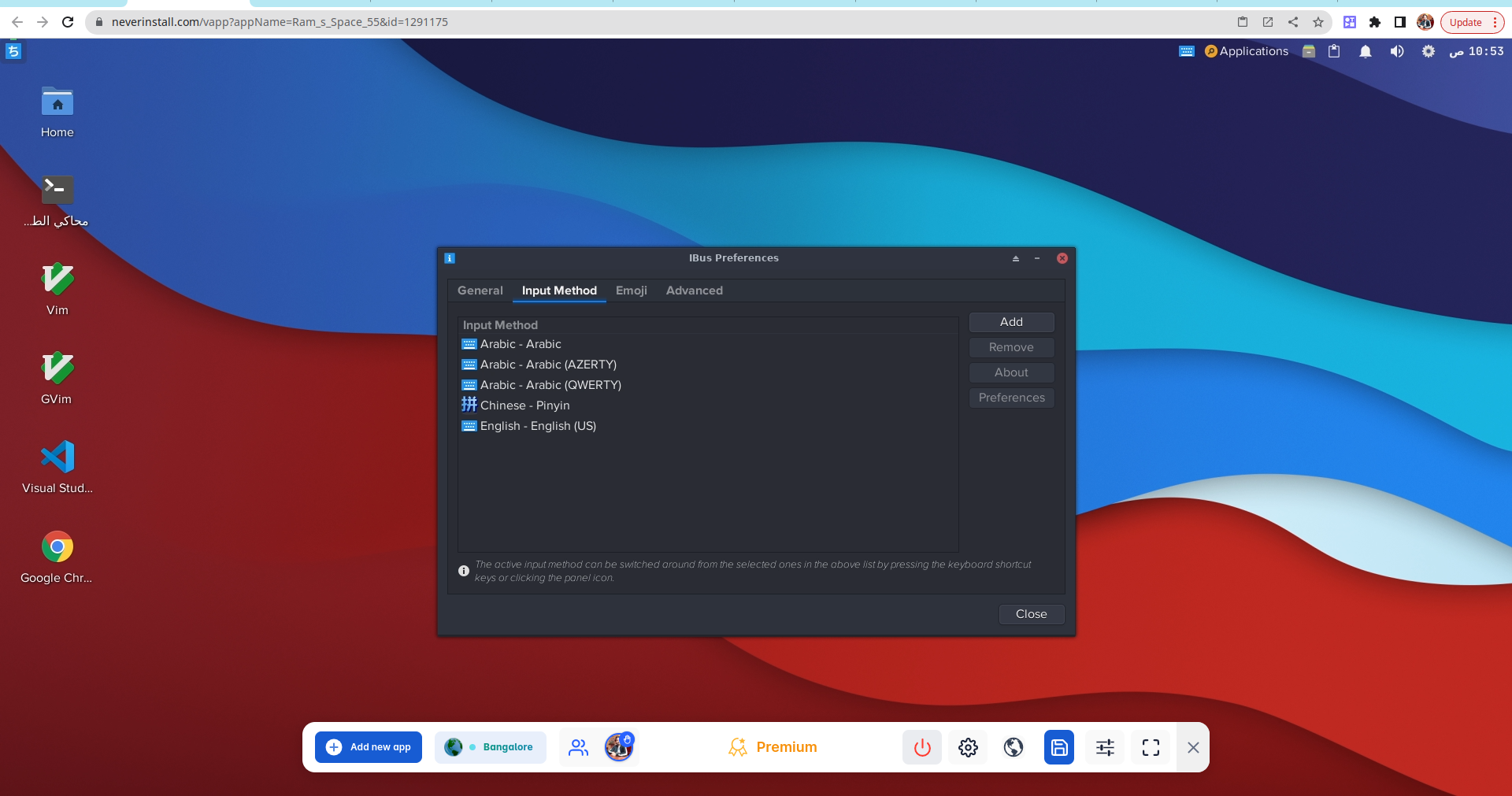
- In the preferences window that opens up navigate to "Input Method" tab.
- Click on "Add" button available there to incorporate a new input method or langauge into your list of available options.
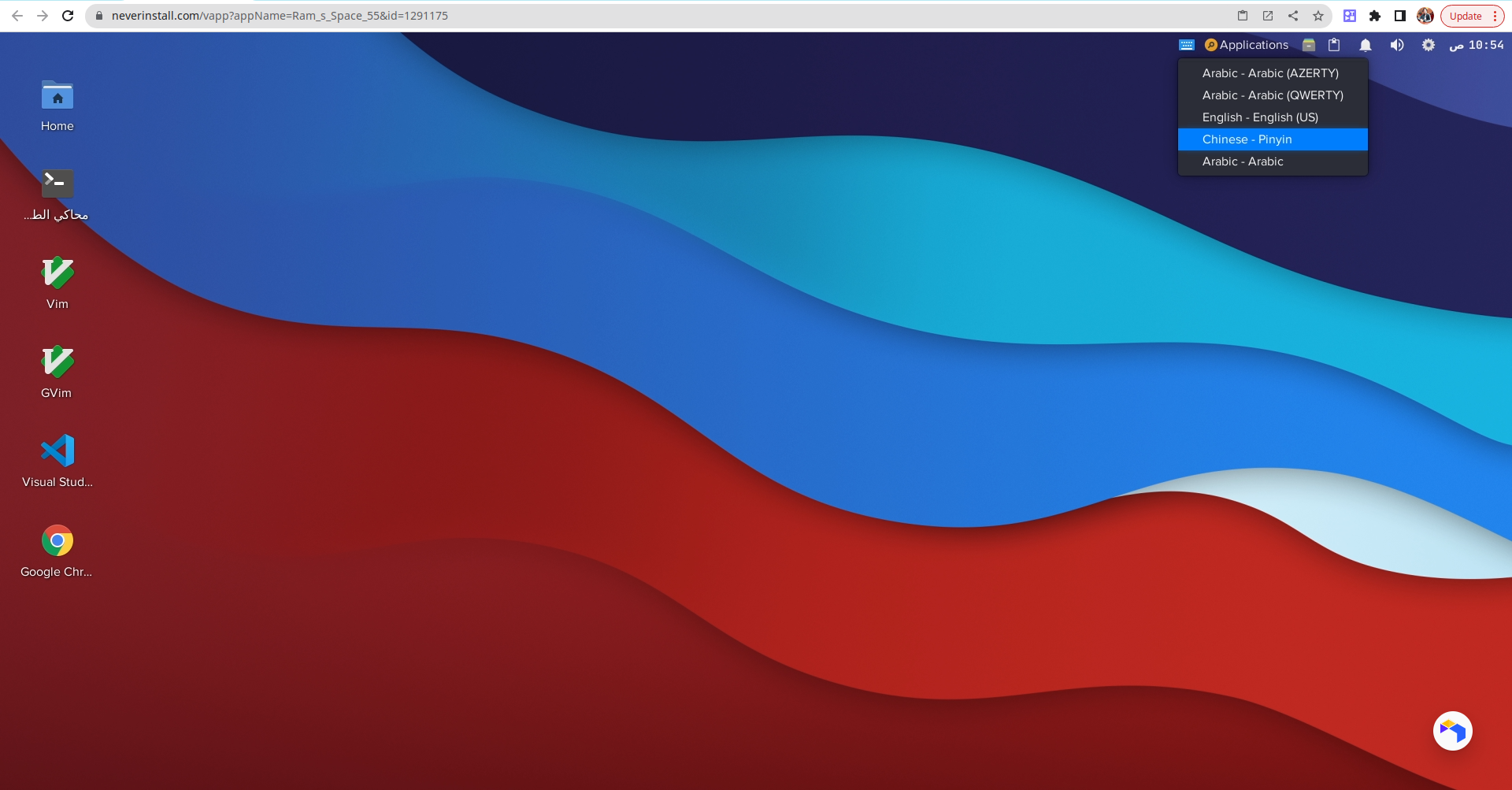
After adding desired input methods or langauges switching between them becomes easy as pie! Simply click on top-right corner's keyboard icon again then select newly added option from dropdown menu which appears; voila - now you can instantly start typing using this newly selected option!
This functionality opens up a world of possibilities, allowing you to effortlessly communicate, code, and browse in multiple languages.