Session Duration
The space session duration refers to the maximum length of time for which a user can run a Space (a cloud-based Linux environment) in one continuous stretch. This duration is dependent on the type of subscription plan the user has chosen:
- Free Plan: Users on the Free Plan are allowed a maximum session duration of 1 hour. After this period, the session will end, but users can start a new session afterwards.
- Premium Plan: Users who subscribe to the Premium Plan can enjoy extended session durations of up to 6 hours. This longer duration is especially beneficial for users who need to run intensive tasks or longer projects without interruption.
Please remember to save your work regularly, particularly as you approach the end of your session duration, to avoid any loss of data. If you have saved your session, you will be able to resume your work from where you left off in the next session.
Saving Sessions
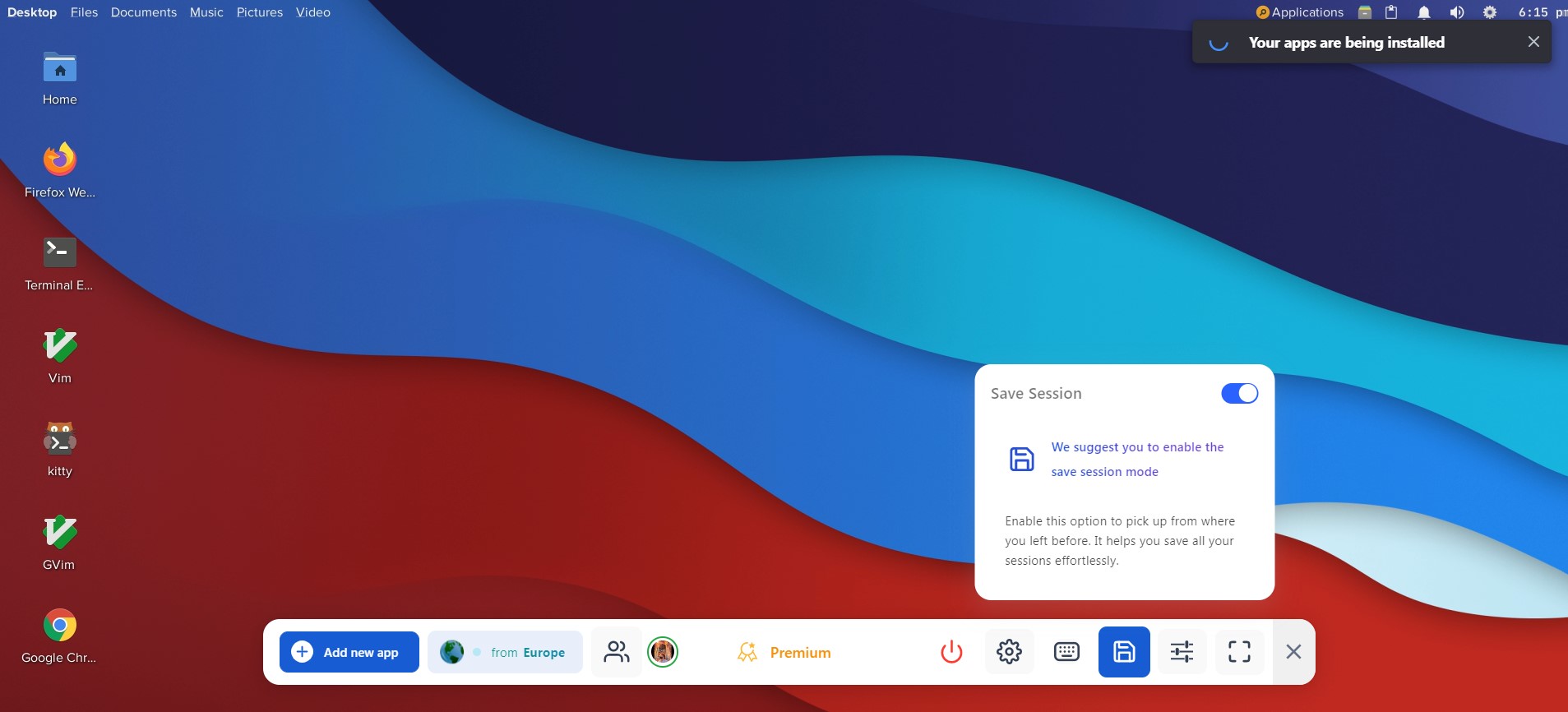
The Neverinstall platform provides a handy feature that allows users to save their work sessions. By clicking the "Save Session" button on the dock while using an application, users can preserve their data and progress. This feature is particularly useful for tasks that require continuity, as it allows users to pick up right where they left off, even if they have logged out or lost their internet connection in the meantime.
Here's how-to-save-your-work-session:
- While Using an Application: As you work within an application navigate-to-the-dock located usually at-the-bottom-of-your-screen.
- Click-on-'Save-Session': You-will-find-a-button-labeled-"Save Session". Click-on-this-button-to-save-your-current-progress-and-data. 3.-Confirmation-Message: After-clicking-the-"Save Session"-button,-a-confirmation-message-will-appear-indicating-that-your-session-has-been-saved-successfully.
- Resuming-a-Saved-Session: When-you-log-back into-Neverinstall, you-can-resume-your-saved-session-and-continue-working-from where-you-left-off.
Please note that the ability to save sessions is a feature available only to users who have subscribed to the Premium plans. If you are using the free version of Neverinstall, you will need to upgrade-to-one-of-these-plans-in-order-to-use-the Save Session feature.